Create Database
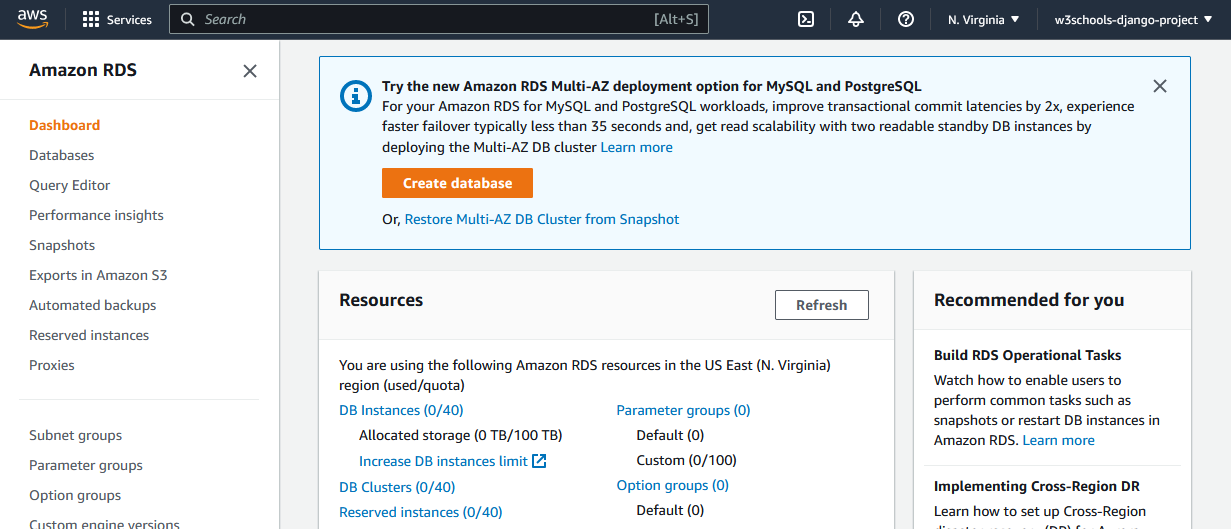
Inside the RDS service, create a database, either by navigating to the Database section, or just click the "Create database" button:
Settings
Once you have started creating a database, you will be given some choices for the type and settings of your database.
To add a PostgreSQL database to your Django project, choose the following options:
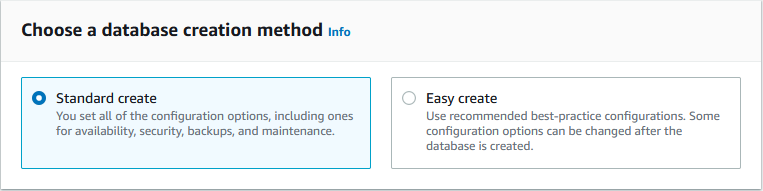
Standard creation method:
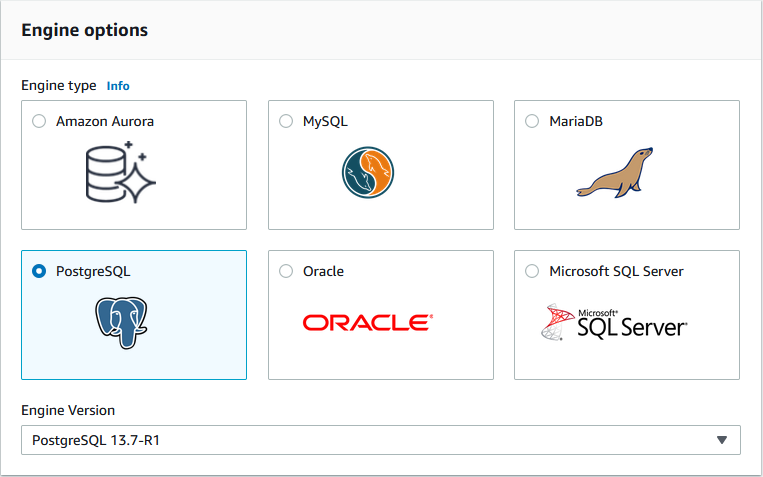
PostgreSQL engine method:
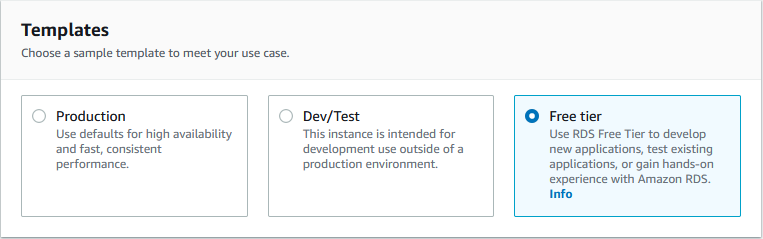
Free Tier Template:
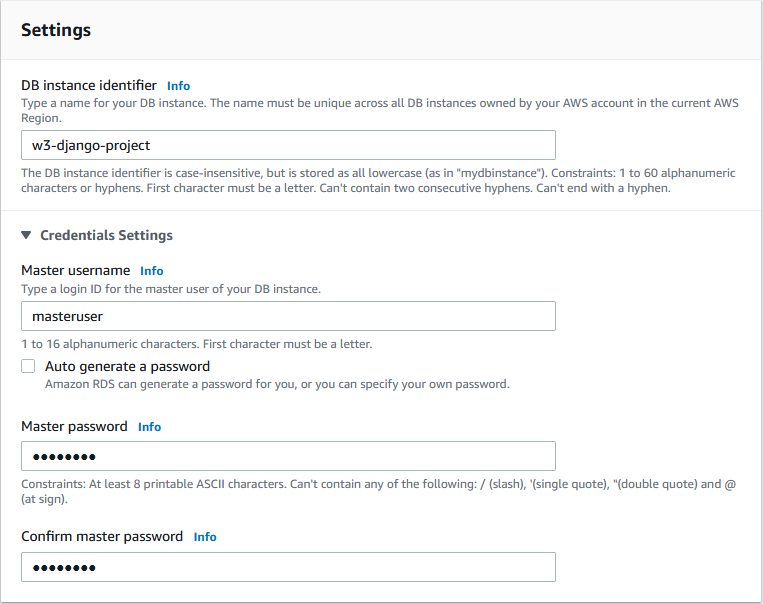
Name of database, username, and password
You can choose any name, username, and password:
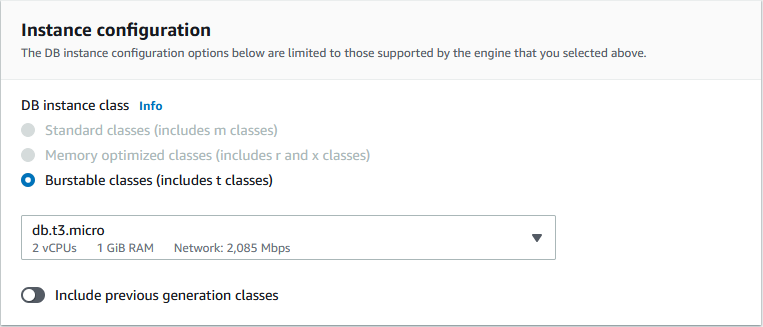
Keep the default instance configuration:
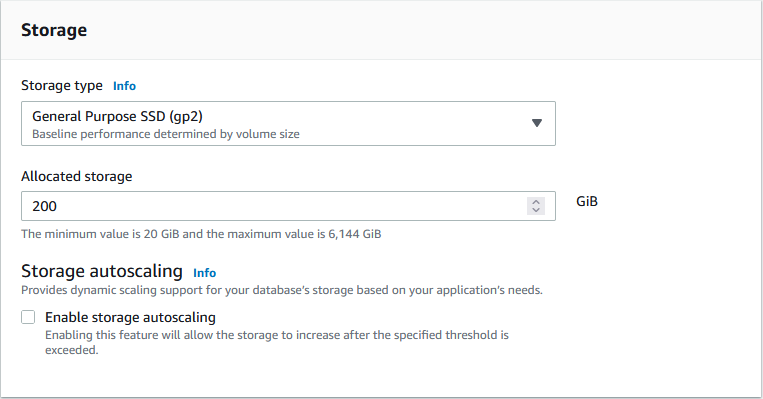
Check off the storage autoscaling:
It can be a good thing to enable storage autoscaling, but for this tutorial it is not necessary.
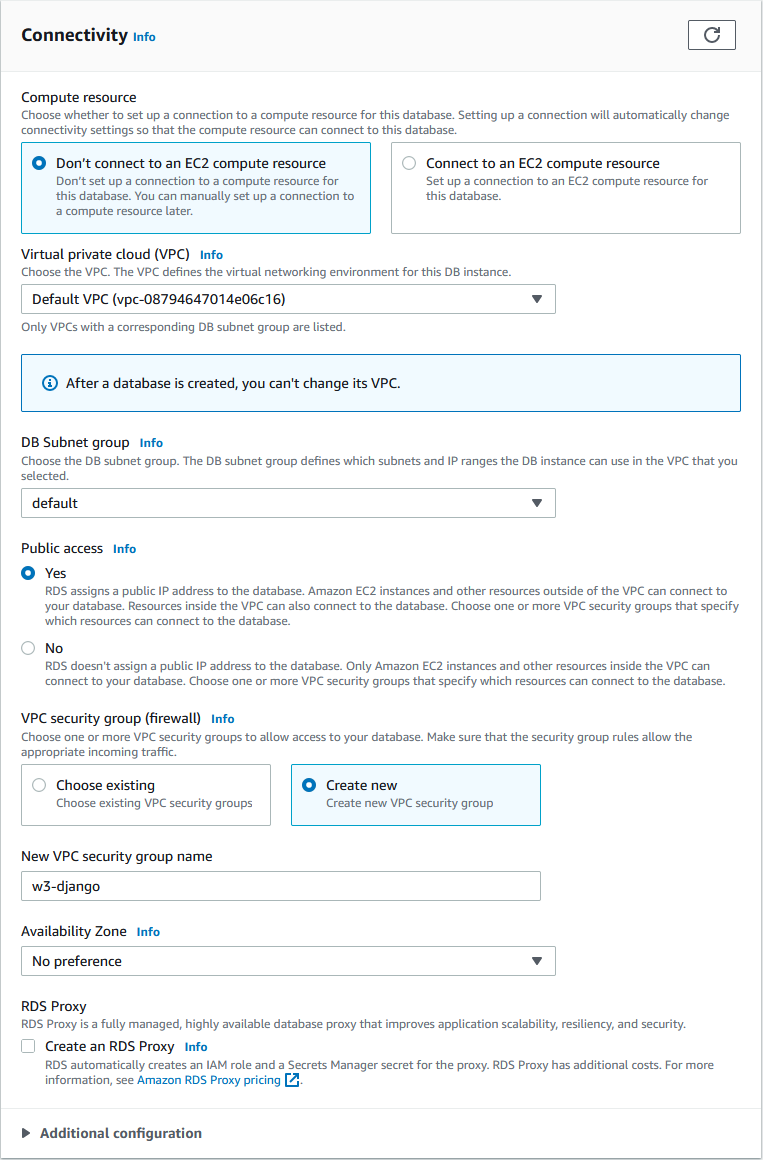
Grant public access, and create a new security group:
Give the security group a name, we will call it "w3-django":
Keep default db authentications:
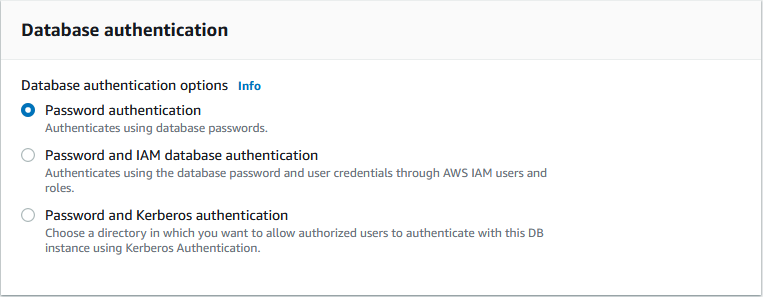
Keep default monitoring:
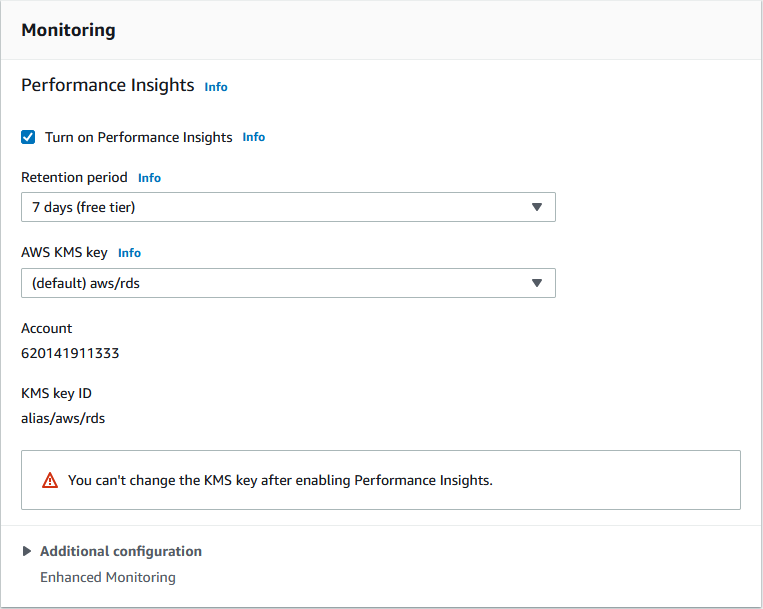
Click Create database:
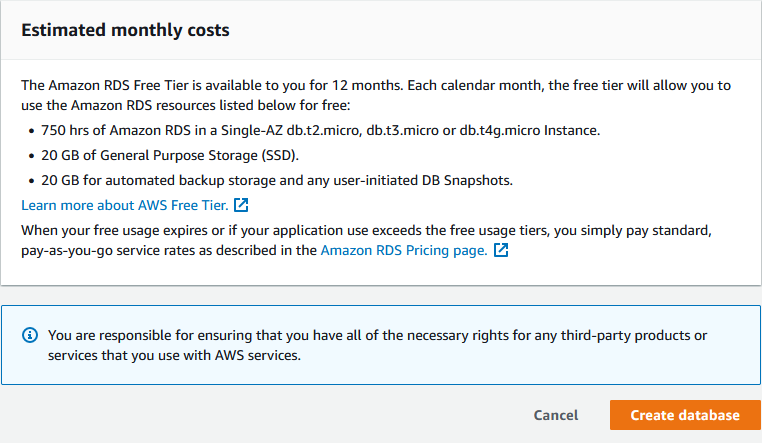
This will take a few minutes, but when it is finished, you will have a new PostgreSQL database, almost ready to run on your Django project!
In the next chapter you will learn how to connect your project to the database.
