What is Slug?
Have you ever seen url's that look like this:
w3schools.com/django/learn-about-slug-field
The "learn-about-slug-field" part is a slug.
It is a description containing only letters, hyphens, numbers or underscores.
It is often used in url's to make them easier to read, but also to make them more search engine friendly.
Url Without Slug
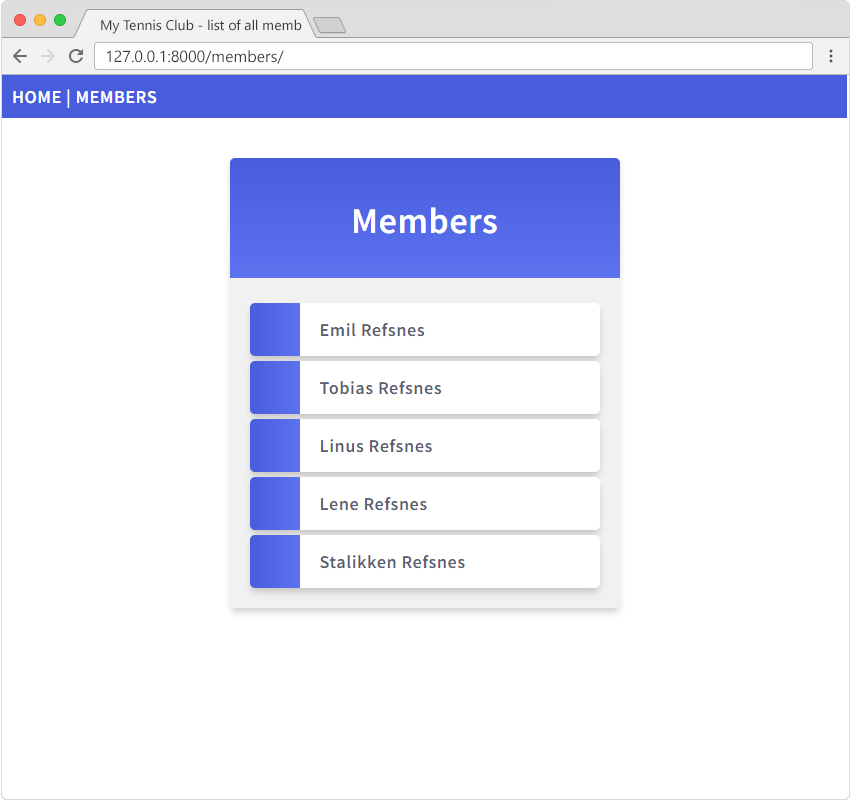
If you have followed our Django Project created in this tutorial, you will have a small Django project looking like this:
And if you click the first member, you will jump to this page:
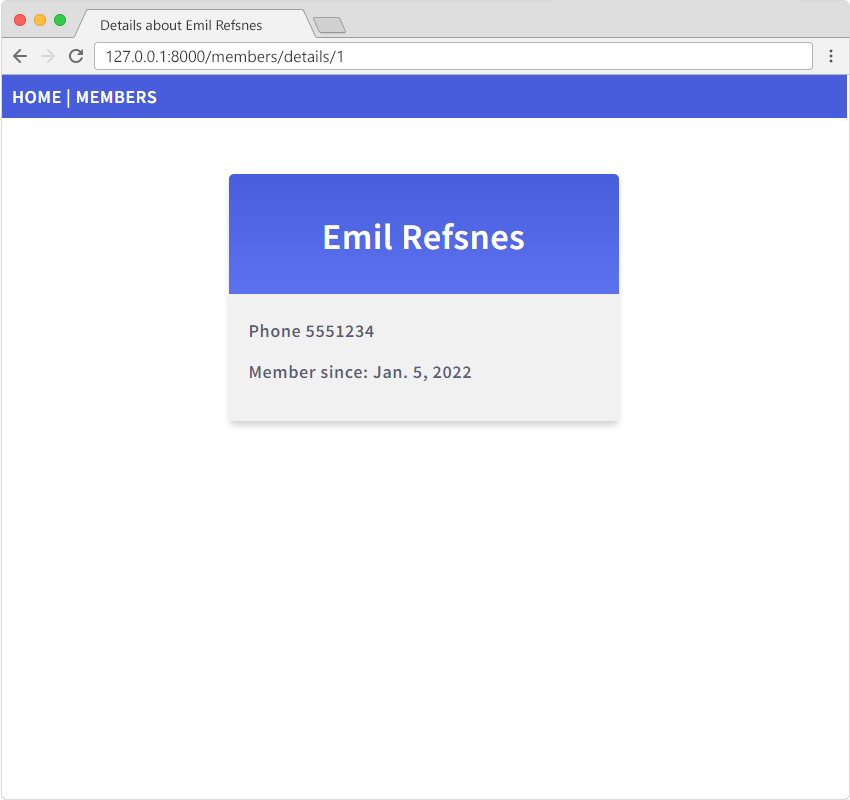
Check out the address bar:
127.0.0.1:8000/members/details/1
The number "1" refers to the ID of that particular record in the database.
Makes sense to the developer, but probably not to anyone else.
Url With Slug
It would have made more sense if the url looked like this:
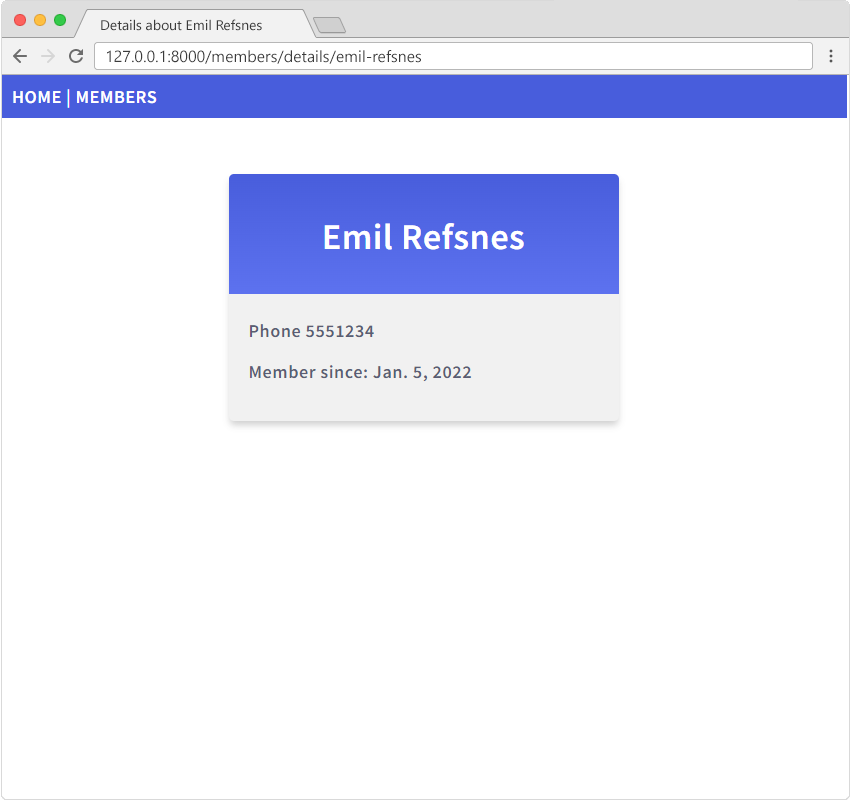
Check out the address bar:
127.0.0.1:8000/members/details/emil-refsnes
That is a more user friendly url, and Django can help you create such url's in your project.
Modify the models.py File
Start by adding a new field in the database.
Open the models.py file and add a field called slug with the data type SlugField:
from django.db import models

class Member(models.Model):
  firstname = models.CharField(max_length=255)
  lastname = models.CharField(max_length=255)
  phone = models.IntegerField(null=True)
  joined_date = models.DateField(null=True)
  slug = models.SlugField(default="", null=False)

  def __str__(self):
    return f"{self.firstname} {self.lastname}"
This is a change in the Model's structure, and therefor we have to make a migration to tell Django that it has to update the database:
python manage.py makemigrations
And the migrate command:
python manage.py migrate
Change Admin
Now we have a new field in the database, but we also want this field to be updated automatically when we set the firstname or lastname of a member.
This can be done with a built-in Django feature called prepopulated_fields where you specify the field you want to pre-populate, and a tuple with the field(s) you want to populate it with.
This is done in the admin.py file:
from django.contrib import admin
from .models import Member

# Register your models here.

class MemberAdmin(admin.ModelAdmin):
  list_display = ("firstname", "lastname", "joined_date",)
  prepopulated_fields = {"slug": ("firstname", "lastname")}

admin.site.register(Member, MemberAdmin)
Enter the Admin interface and open a record for editing:
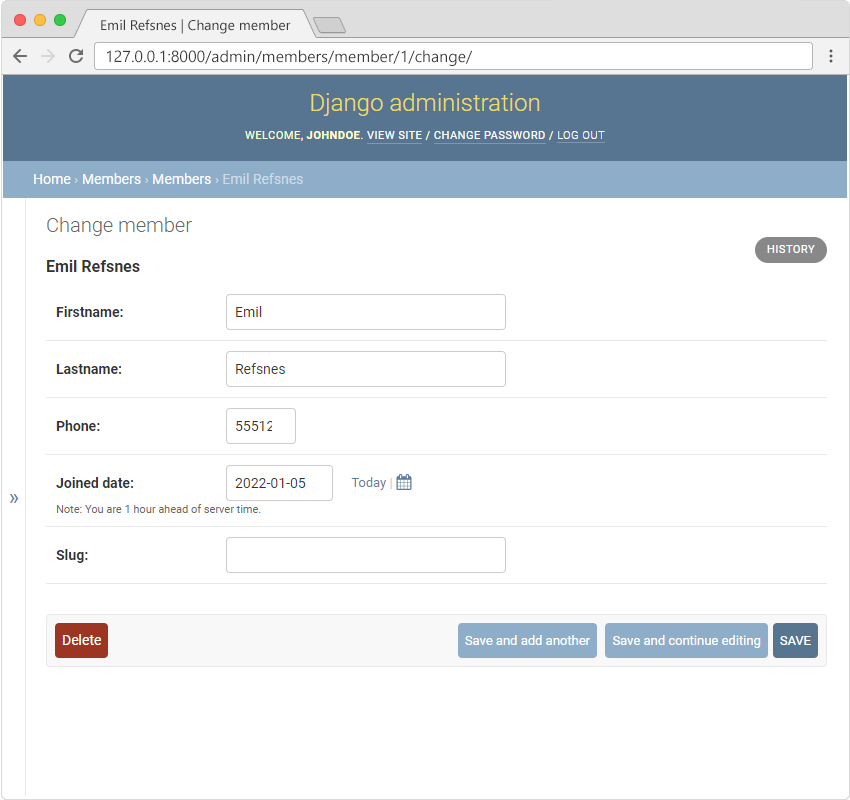
Click "SAVE" and the "slug" field will be auto populated with the firstname and the lastname, and since the "slug" field is of type SlugField, it will "slugify" the value, meaning it will put a hyphen between each word.
Next time you open the member for editing you will see the slug field with value:
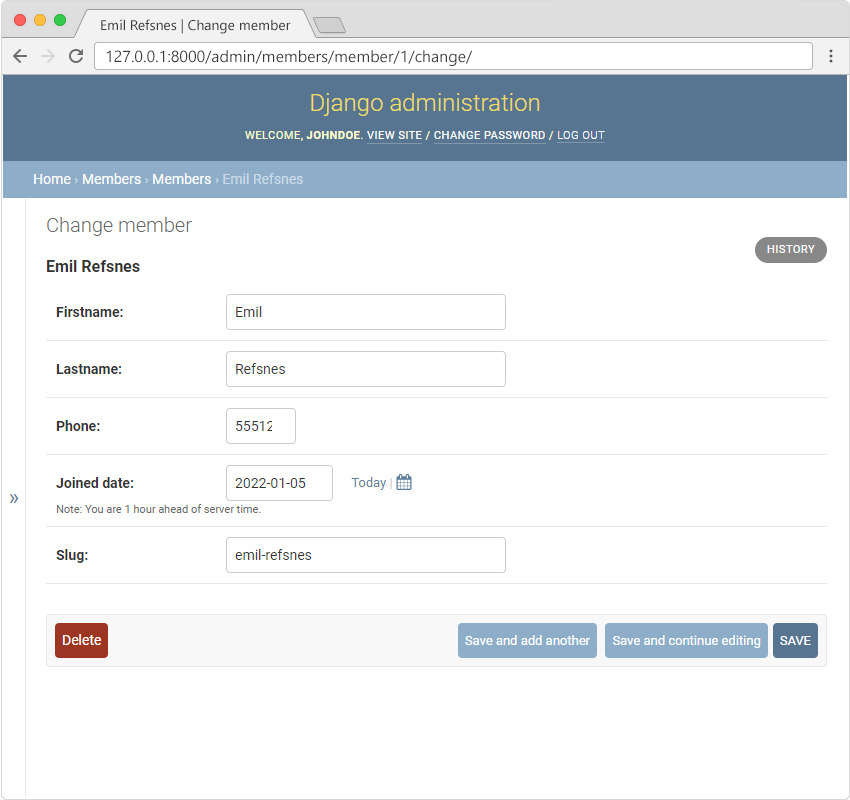
Note: Since the new field is empty by default, you have to do this save operation for each member.
Modify Template
Now we can replace the ID field with the slug field throughout the project.
Start with the all_members.html template, where we have a link to the details page:
{% extends "master.html" %}

{% block title %}
  My Tennis Club - List of all members
{% endblock %}

{% block content %}
  <div class="mycard">
    <h1>Members</h1>
    <ul>
      {% for x in mymembers %}
        <li onclick="window.location = 'details/{{ x.slug }}'">{{ x.firstname }} {{ x.lastname }}</li>
      {% endfor %}
    </ul>
  </div>
{% endblock %}
Modify URL
We also have to make some changes in the urls.pyfile.
Change from <int:id> to <slug:slug>:
from django.urls import path
from . import views

urlpatterns = [
    path('', views.main, name='main'),
    path('members/', views.members, name='members'),
    path('members/details/<slug:slug>', views.details, name='details'),
    path('testing/', views.testing, name='testing'),
]
Modify View
Finally, change the details view to handle incoming request as slug instead of ID:
from django.http import HttpResponse
from django.template import loader
from .models import Member

def members(request):
  mymembers = Member.objects.all().values()
  template = loader.get_template('all_members.html')
  context = {
    'mymembers': mymembers,
  }
  return HttpResponse(template.render(context, request))

def details(request, slug):
  mymember = Member.objects.get(slug=slug)
  template = loader.get_template('details.html')
  context = {
    'mymember': mymember,
  }
  return HttpResponse(template.render(context, request))

def main(request):
  template = loader.get_template('main.html')
  return HttpResponse(template.render())

def testing(request):
  template = loader.get_template('template.html')
  context = {
    'fruits': ['Apple', 'Banana', 'Cherry'],
  }
  return HttpResponse(template.render(context, request))
Now the link to details works with the new slugified url:
If you have followed all the steps on your own computer, you can see the result in your own browser: 127.0.0.1:8000/members/.
If the server is down, you have to start it again with the runserver command:
python manage.py runserver
