Subnets and Network Access
Subnets let you organize resources within a VPC, while access control lists and security groups control what traffic can reach them.
Security Groups and Access Control Video
W3schools.com collaborates with Amazon Web Services to deliver digital training content to our learners.
Subnets
A subnet is a section of a VPC that groups resources with similar security or operational needs. Public and private subnets can communicate with each other through secure channels.
Public Subnets
Contain resources accessible from the internet, such as public websites.
Private Subnets
Contain resources only accessible through the private network, such as databases with customer data.
Network Traffic
Data travels across networks as packets. When a packet enters a VPC through an Internet Gateway, it must pass permission checks before entering a subnet: Who sent it? How will it communicate with the resources?
Access Control
Network Access Control Lists (ACLs)
ACLs are firewalls that control inbound and outbound traffic at the subnet level. Packets on the approved list pass through; others are denied.
ACLs use stateless packet filtering: they check each packet against rules but have no memory of previous requests.
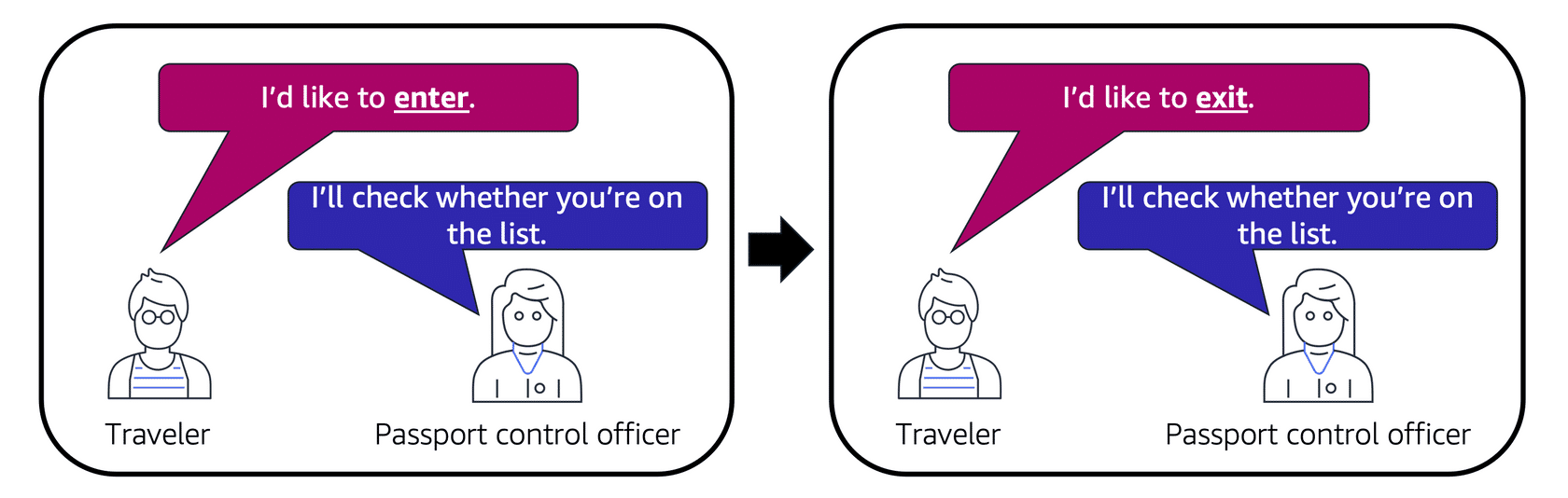
Image created by Amazon Web Services
See the AWS documentation on ACLs for more details.
Security Groups
Security Groups are firewalls that control traffic for specific EC2 instances. By default, they deny all inbound traffic and allow all outbound. You add rules to customize this behavior.
Security Groups use stateful packet filtering: they remember previous actions and allow return traffic automatically.
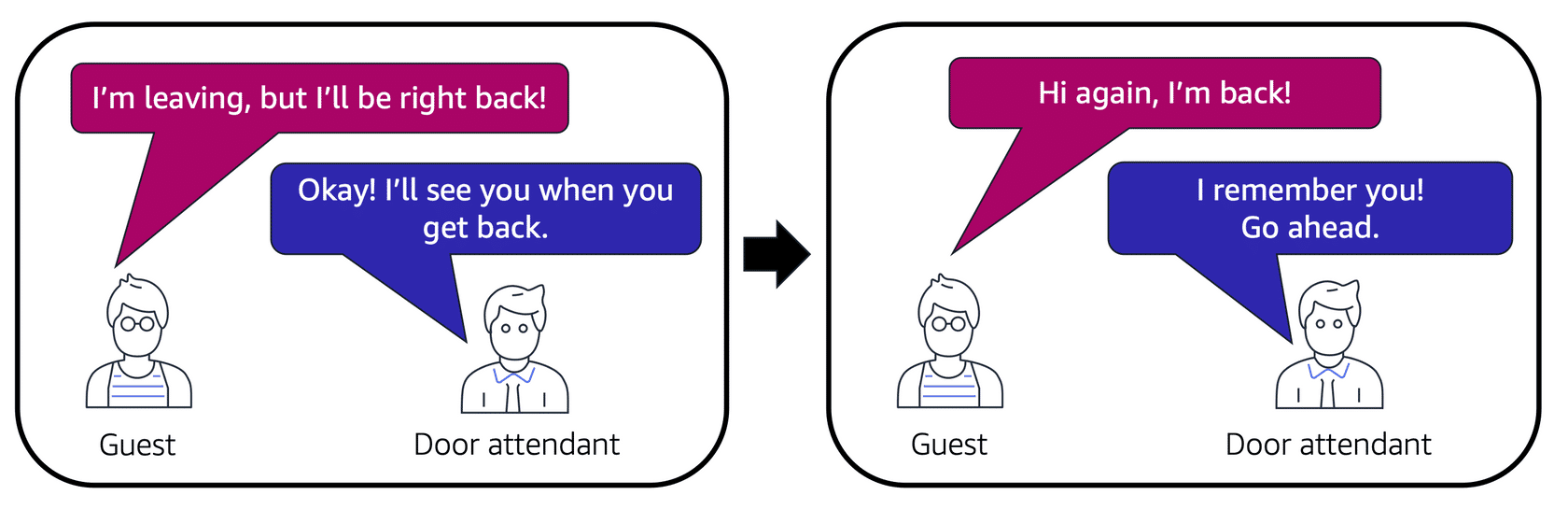
Image created by Amazon Web Services
See the AWS documentation on Security Groups for more details.
Configuration Overview
Both ACLs and Security Groups can be configured with custom rules for traffic control.
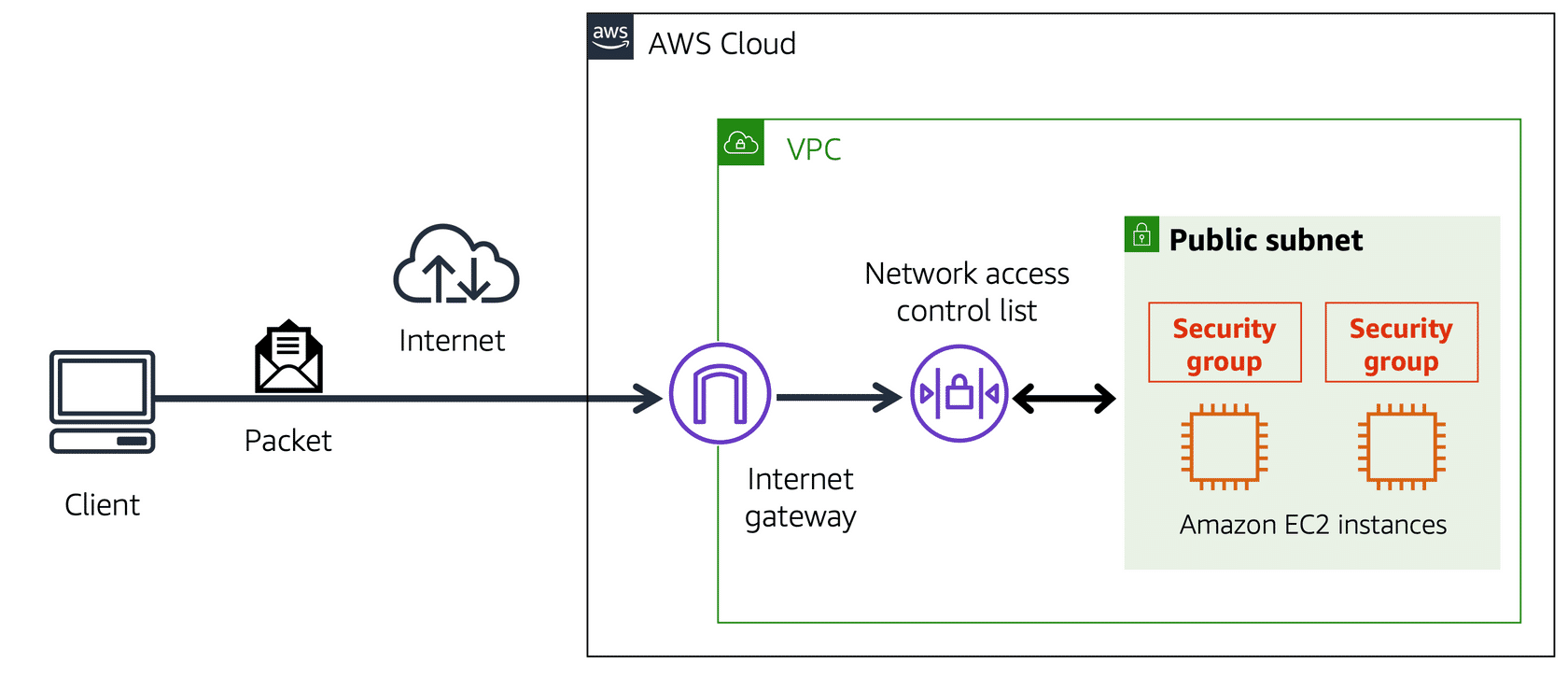
Image created by Amazon Web Services
