AWS Organizations
As companies grow, managing multiple AWS accounts becomes challenging. AWS Organizations helps you centrally manage and govern your environment, automate account creation, and apply policies across groups of accounts.
AWS Organizations Video
W3schools.com collaborates with Amazon Web Services to deliver digital training content to our learners.
Benefits and Use Cases
- Quickly scale by programmatically creating new AWS accounts
- Simplify permission management through Service Control Policies (SCPs)
- Manage and optimize costs across accounts
- Provide tools and access for security teams
- Share common resources across accounts
Key Concepts
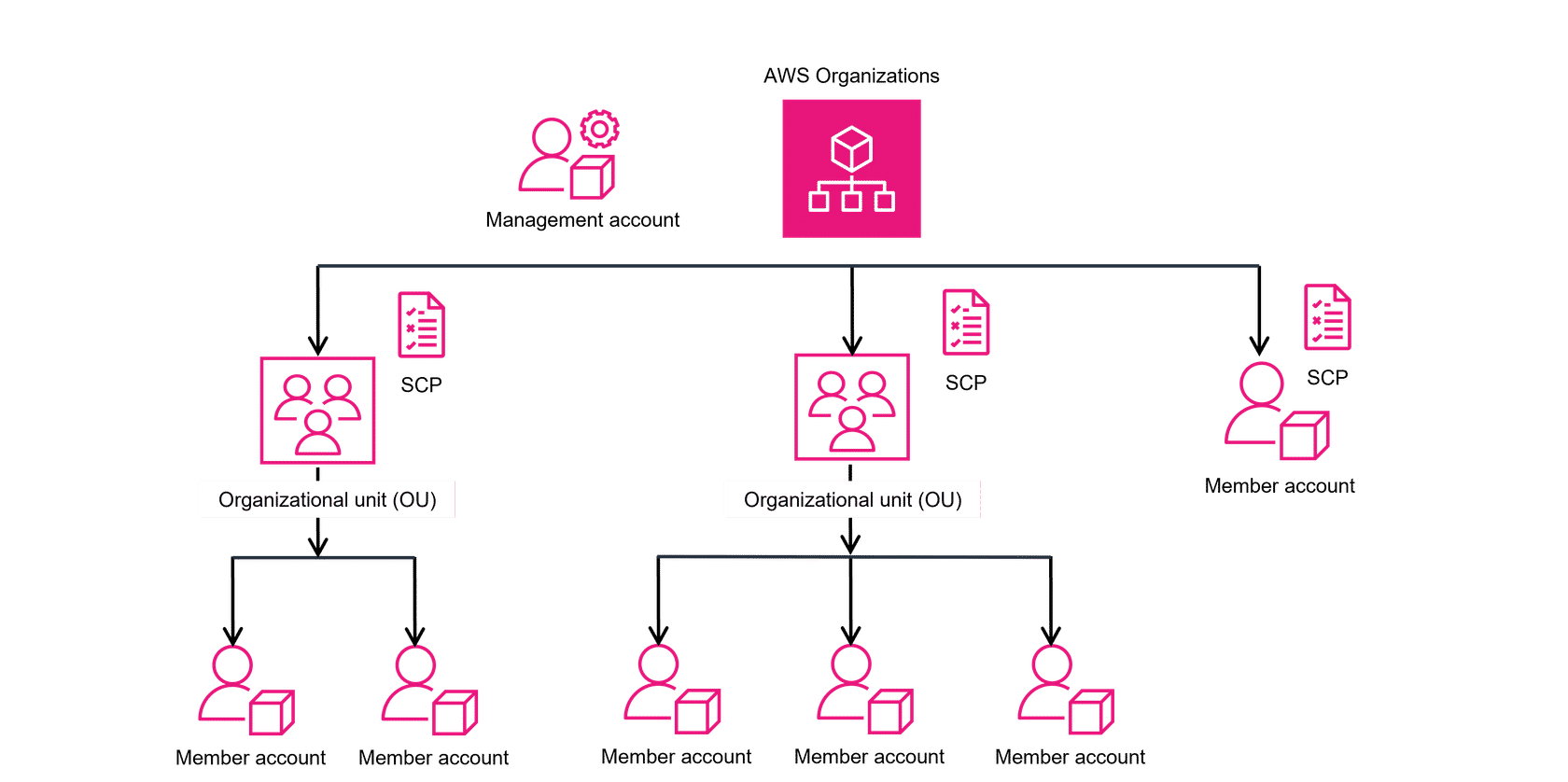
An organization is a collection of AWS accounts organized into a hierarchical tree structure with a root at the top and organizational units (OUs) nested under the root. Each account can be placed directly in the root or within an OU.
Management Account
The central AWS account that creates and manages the organization. When you create an organization, it automatically creates a root as the parent container for all accounts. The management account is responsible for overall control and governance.
Organizational Unit (OU)
A logical grouping of accounts within an AWS Organization. OUs can contain member accounts or nested OUs, allowing you to create a hierarchy that matches your business structure.
Service Control Policies (SCP)
Policies that restrict which AWS services, resources, and API actions users and roles in each account can access. SCPs can be applied to OUs or individual member accounts.
Member Account
Accounts that belong to the organization. They can be placed under an OU or directly under the root. Even accounts not in an OU benefit from features like consolidated billing.
When designing your organization, consider the business, security, and regulatory needs of each department to decide how to group them into OUs. Learn more in the AWS Organizations User Guide.
