Change Platform:
Edit Code in GitHub
GitHub lets you edit files directly in your browser.
This is useful for making quick changes without needing to use Git on your computer.
Edit Any File
To edit a file (like README.md), click the file name in your repository, then click the Edit button (pencil icon):
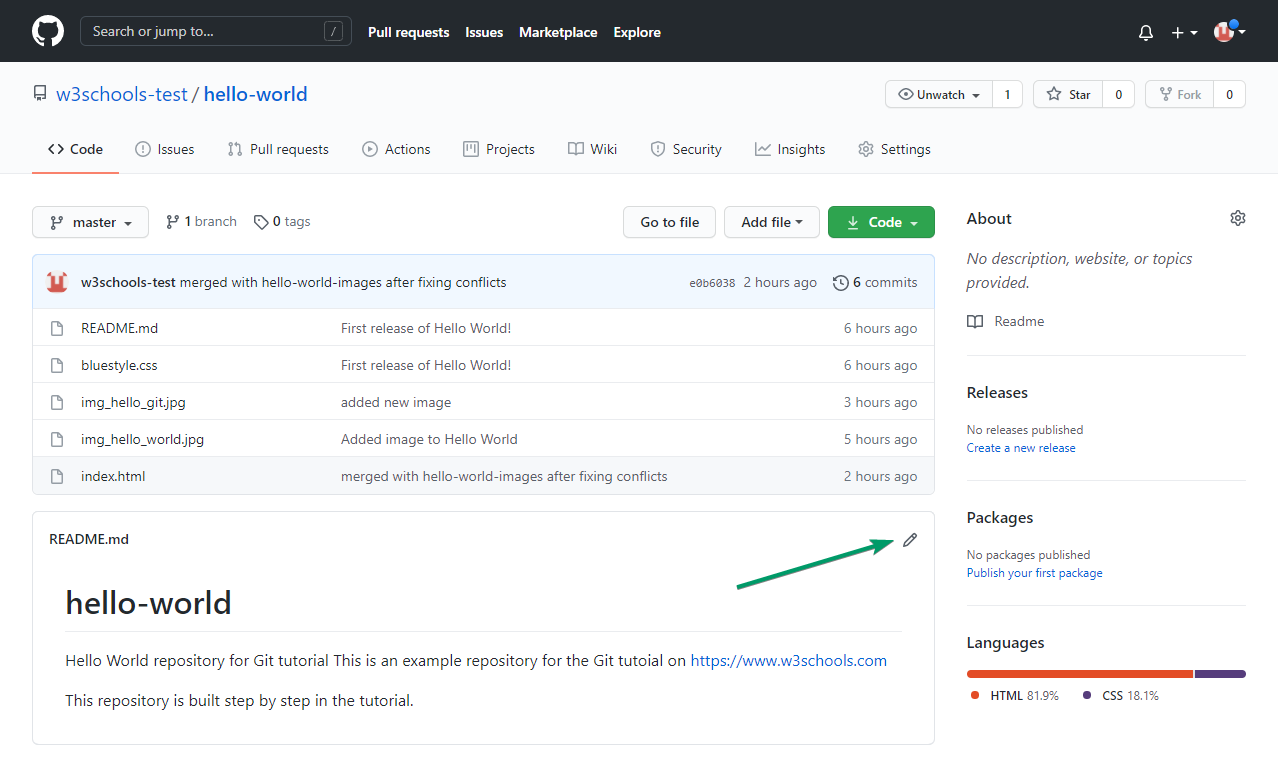
You can now make changes to the file in the editor. You can edit any file, not just README.md.
Write a Commit Message
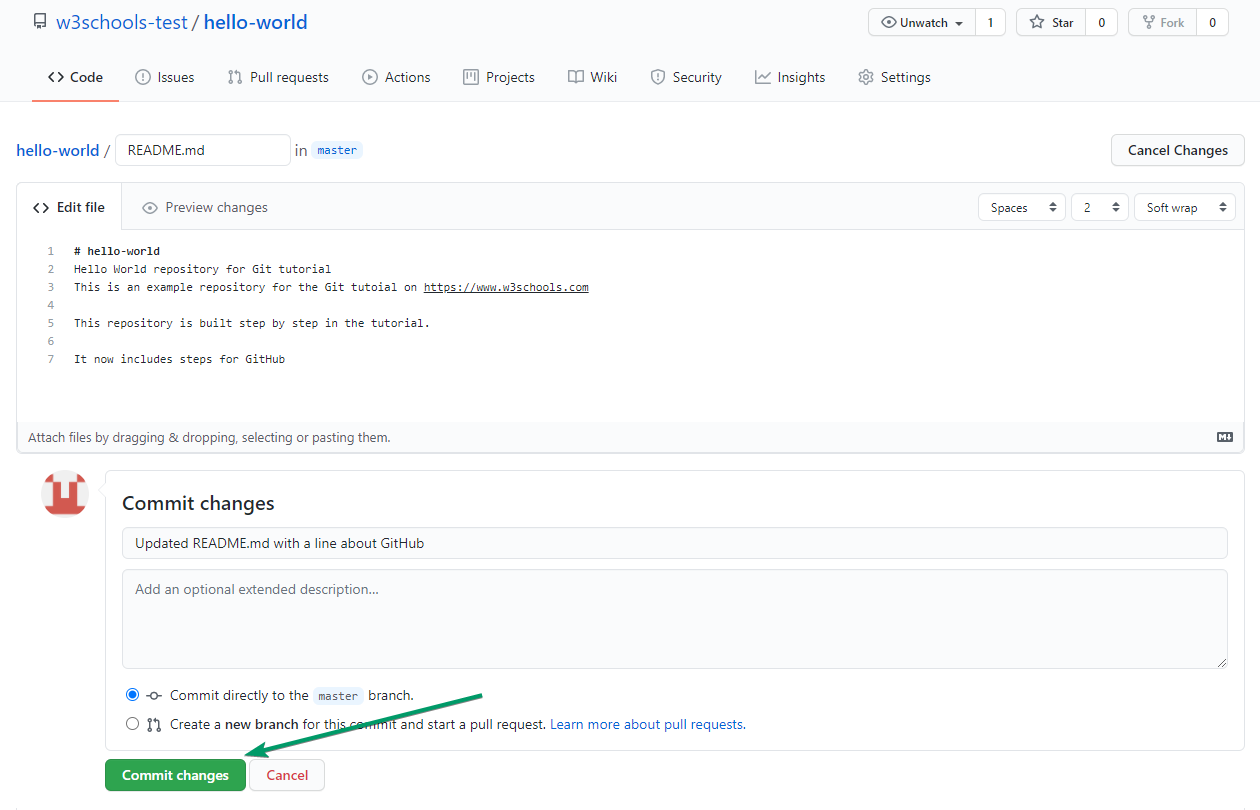
After editing, scroll down to the Commit changes section.
Add a short, clear description of what you changed in the Commit message box.
This helps others understand your update. Learn more about commits
Preview Changes
Before saving, you can click Preview changes to see what will change in the file.
This helps you check your edits before committing.
Commit to a Branch
By default, you can commit directly to the main (or master) branch.
For bigger changes, it's best to create a new branch.
Select Create a new branch for this commit and start a pull request to work safely. Learn more about branches
Create a New Branch from the Editor
When you choose to create a new branch, GitHub will automatically suggest a branch name.
After committing, you can open a pull request to propose your changes. Learn more about pull requests
That is how you edit code directly in GitHub!
