Write To a File
Let's use the w mode from the previous chapter again, and write something to the file we just created.
The w mode means that the file is opened for writing. To insert content to it, you can use the fprintf() function and add the pointer variable (fptr in our example) and some text:
Example
    FILE *fptr;

// Open a file in writing mode
fptr = fopen("filename.txt", "w");

// Write some text to the file
fprintf(fptr, "Some text");

// Close the file
fclose(fptr);

Note: If you write to a file that already exists, the old content is deleted, and the new content is inserted. This is important to know, as you might accidentally erase existing content. For example: Example fprintf(fptr, "Hello World!"); As a result, when we open the file on our computer, it says "Hello World!" instead of "Some text":
Append Content To a File
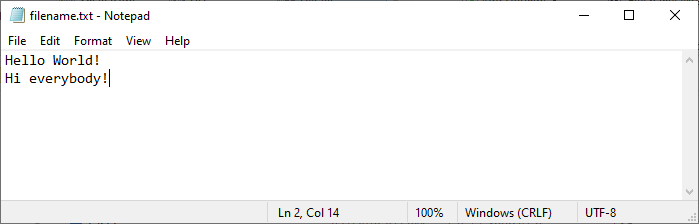
If you want to add content to a file without deleting the old content, you can use the a mode.
The a mode appends content at the end of the file:
Example
    FILE *fptr;

// Open a file in append mode
fptr = fopen("filename.txt", "a");

// Append some text to the file
fprintf(fptr, "\nHi everybody!");

// Close the file
fclose(fptr);
Note: Just like with the
wmode; if the file does not exist, theamode will create a new file with the "appended" content.
