File Handling
In C, you can create, open, read, and write to files by declaring a pointer of type FILE, and use the fopen() function:
    FILE *fptr;
fptr = fopen(filename, mode);
FILE is basically a data type, and we need to create a pointer variable to work with it (fptr). For now, this line is not important. It's just something you need when working with files.
To actually open a file, use the fopen() function, which takes two parameters:
| Parameter | Description |
|---|---|
| filename | The name of the actual file you want to open (or create), like filename.txt |
| mode | A single character, which represents what you want to do with the file (read, write or append): w - Writes to a file a - Appends new data to a file r - Reads from a file |
Create a File
To create a file, you can use the w mode inside the fopen() function.
The w mode is used to write to a file. However, if the file does not exist, it will create one for you:
Example
    FILE *fptr;

// Create a file
fptr = fopen("filename.txt", "w");

// Close the file
fclose(fptr);
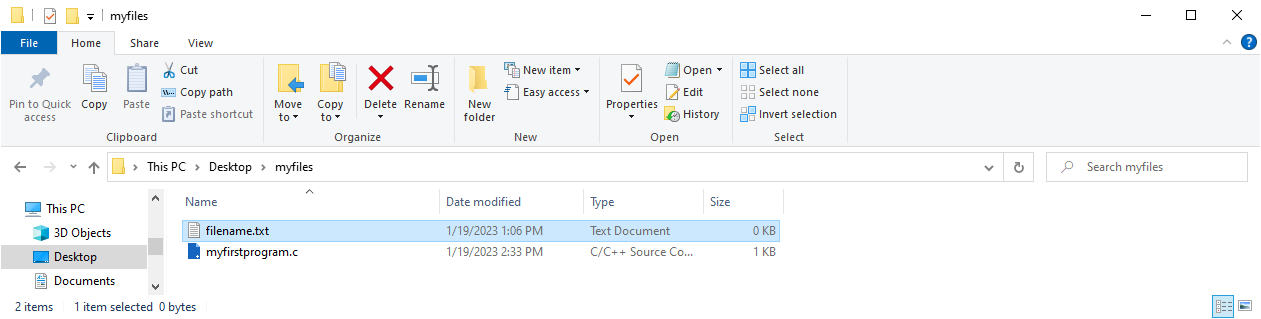
Tip: If you want to create the file in a specific folder, just provide an absolute path (remember to use double backslashes to create a single backslash (\), like we specified in strings special characters):
fptr = fopen("C:\\directoryname\\filename.txt", "w");
Note: Closing the file Did you notice the
fclose()function in our example above? This will close the file when we are done with it. It is considered as good practice, because it makes sure that: Changes are saved properly Other programs can use the file (if you want) Clean up unnecessary memory space
In the next chapters, you will learn how to write content to a file and read from it.
